Bring Every Call into Focus
Seamlessly integrate ERPNext with RingCentral for unified communication and enhanced CRM efficiency.
Introduction
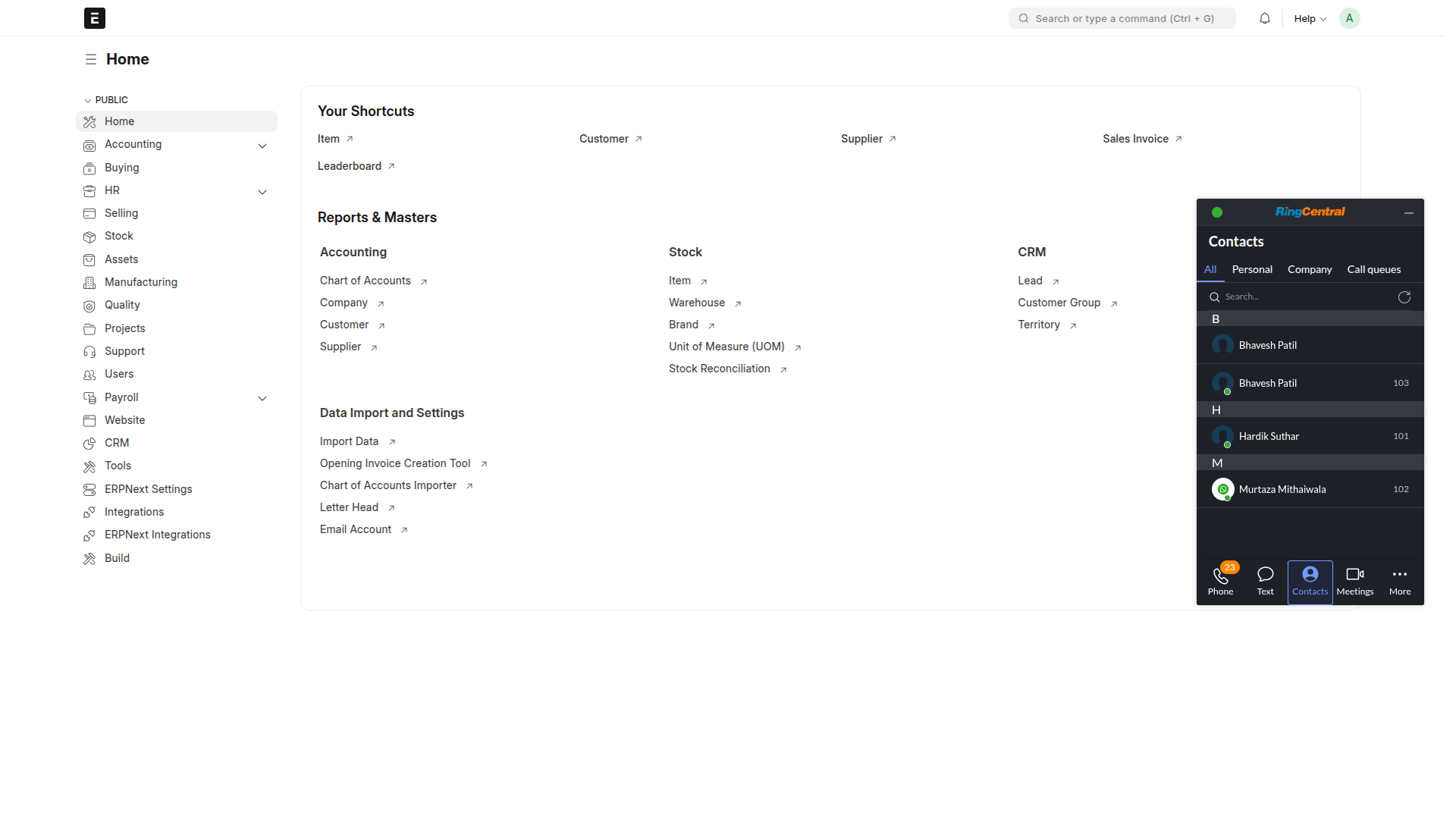
Integrating ERPNext with RingCentral empowers your business with unified communication directly within your ERP system. With this connector, users can initiate calls, log communication history, access call recordings, and manage customer interactions easily — all from a single interface. This not only increases team productivity but also manages CRM activities, ensuring no lead or customer query falls through the cracks. Whether it’s tracking call logs, syncing contact information, or improving real-time communication, this integration ensures your business stays connected, responsive, and organized.
Core Features
Advanced Call Handling
Offers powerful options like Call Flipping, Call Forwarding, and Call Recording to manage communications efficiently.
User-Friendly Interface
Easy navigation through contacts, calls, and messaging tools enhances user experience and saves time.
All-in-One Call Center
Functions as a complete solution for Call Centers and BPO operations, centralizing communication workflows.
Manager Communication Logs
Displays separate communication histories for managers across all contacts for improved oversight.
Two-Way Communication
Supports sending and receiving both calls and messages within ERPNext for smooth interaction.
Simple One-Time Setup
Requires a one-time technical configuration, after which the integration is ready to use.
Automated Logging
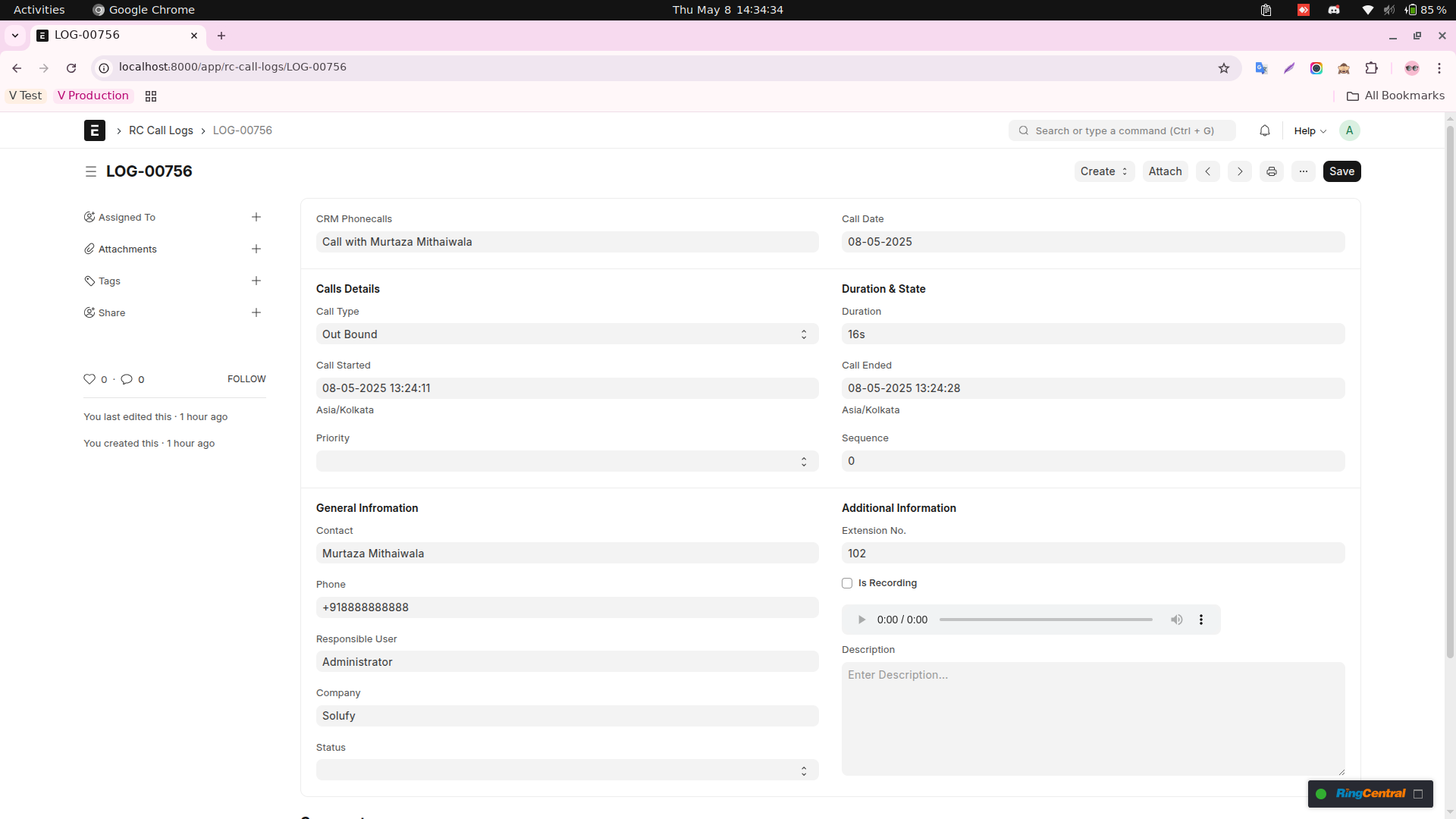
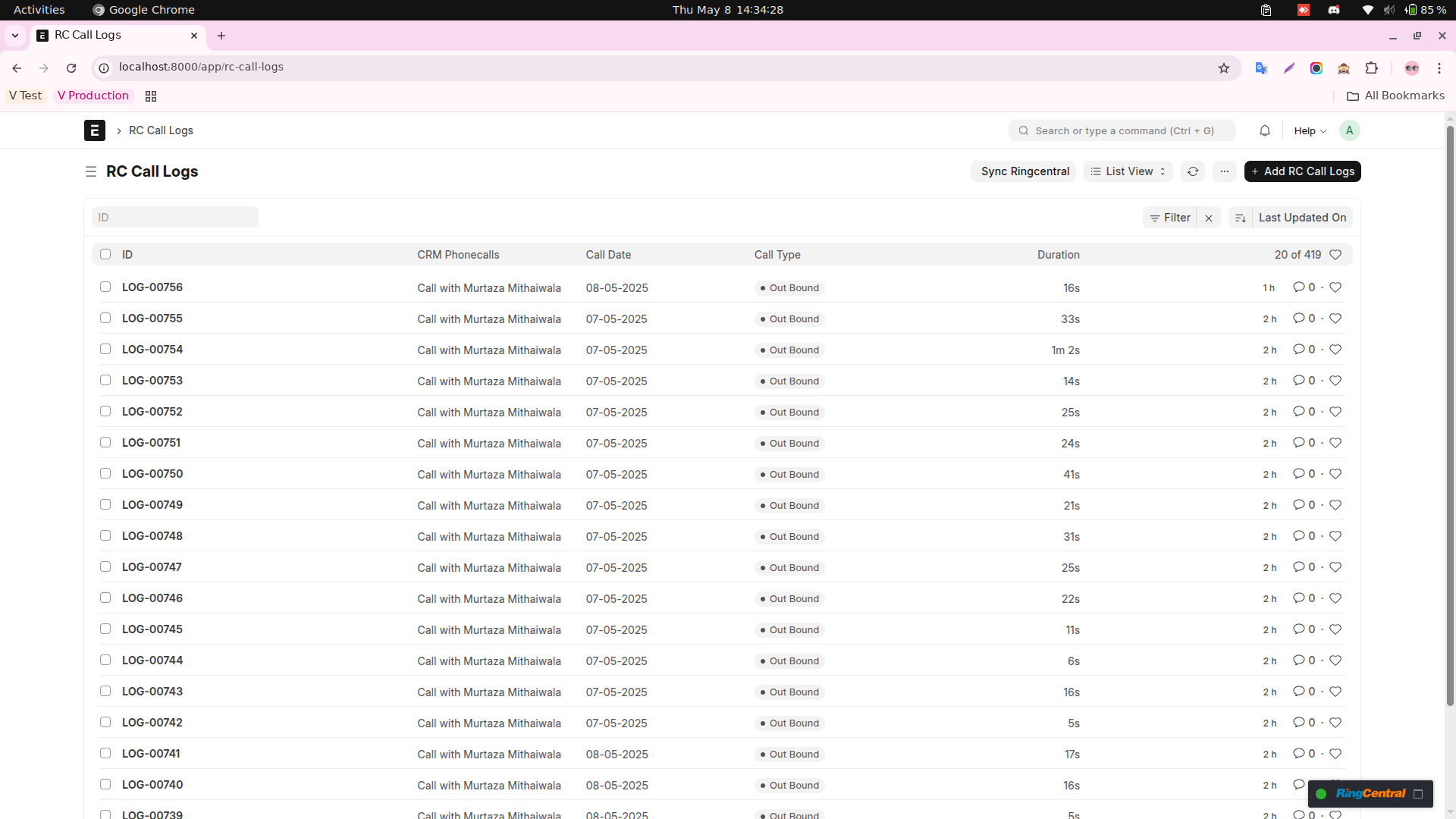
Records call/message timings and details for easy log and history management in the system.
Direct Calling from CRM
Enables click-to-call functionality from CRM Lead entries, making outreach fast and efficient.
Key Benefits
UC-Dashboard
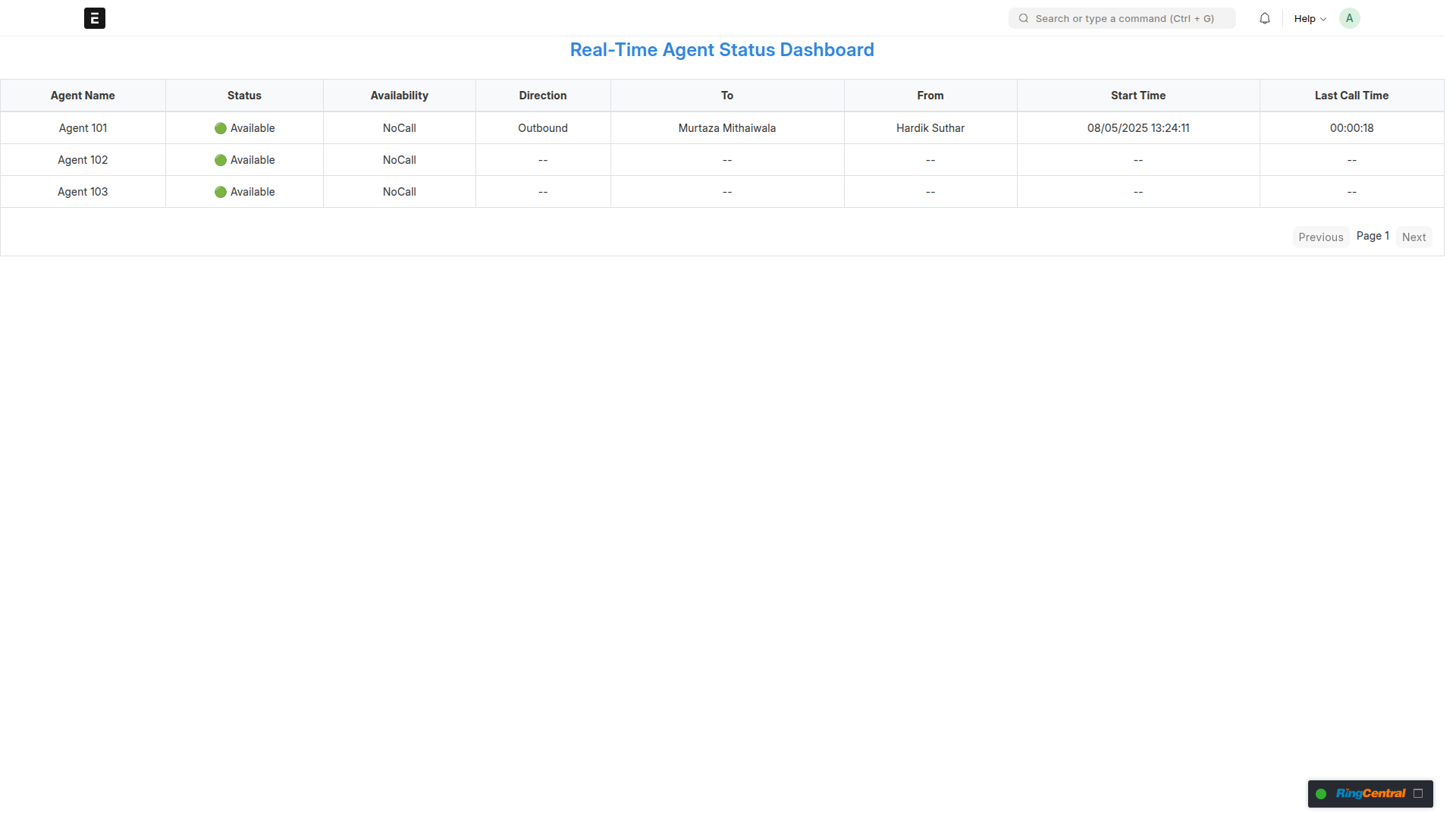
Users can carry out call functions, inspect call logs, and view contact information from within ERPNext without juggling from one platform to another.
Automatic Call Logging
Every inbound and outbound call gets auto-logged against respective contacts, leads, or customers in ERPNext to increase traceability and CRM tracking.
Click-to-Call
Click-to-call feature enables one to instantly place calls from inside ERPNext, saving precious time, and ensuring enhanced productivity for the sales and support teams.
Call Recording & Notes
Get RingCentral call recordings, and attach notes directly in the customer record for follow-up and seamless service.
Real-Time Customer Insight
Within live calls, view contact history and interactions to provide personalized communication.
Faster Sales and Support Response
Centralized call data allows the teams to respond more quickly, track their performance, and make sure that no lead or customer issue falls by the wayside.
Enhanced Collaboration
Synched communications will empower teams for collaborative functioning, with visibility to customer touchpoints shared among teams.
Screenshots